Jobs Page
Every job the UI server has run since it started (optimizations, syncs and Optimize DB runs), newest first. The page has no sidebar item: open it at #/jobs.
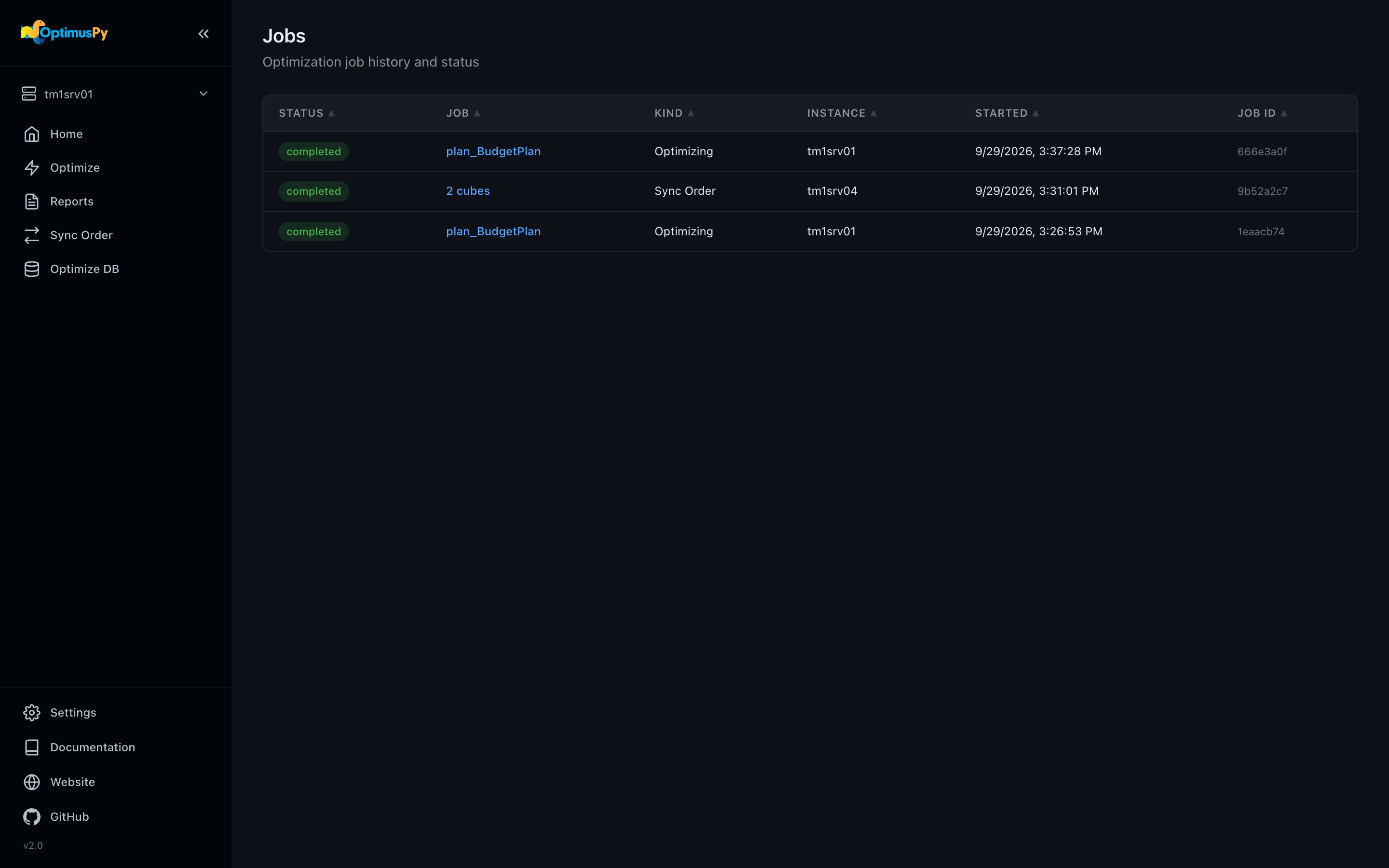
The job list
Each row shows:
- Status (
running,completed,failed,cancelled) - The job: its cube, its Optimize DB plan id, or the cube count for a sync
- Kind (Optimizing, Sync Order, Optimize DB), instance, start time and job id
The list refreshes every 10 seconds. Click a row to open the page that follows that job live: the cube's Optimize tab for a single-cube optimization, the Optimize DB page for a run, the Sync Order page for a sync. That page shows the job's progress, with a Stop button while it runs (Stop after current cube for a sync or an Optimize DB run), and a job that fails is shown as failed.
For a single-cube optimization and an Optimize DB run, the page finds the job on the server, so it works from a second browser tab or after a reload too, with the log replayed from the start. One thing to bear in mind is that a sync is different: the Sync Order page shows a per-cube result table rather than a log, and only in the tab that started it. After a reload, the Jobs list still shows the sync's status, but its per-cube results are gone.
The log stream comes over Server-Sent Events. Each iteration logs a line ending in Testing order: [...] before the evaluation and one ending in Result: RAM [GB]: X ... after it.
Activity Monitor in the sidebar
While a job runs, the sidebar shows it in compact form. Click it to open that job's page from anywhere.
History resets when the UI server restarts. The reports and data files themselves are persistent; see the Reports page.
Stopping a running optimization
Click Stop on the cube's Optimize tab. OptimusPy:
- Sets the cancel event flag
- Cancels the TM1 threads the job's session is running, via
monitoring.cancel_thread - Restores the original dimension order best-effort (a no-op if the connection is already gone; the checkpoint keeps the original order, so a resume restores it)
- Restores the cube's original VMM/VMT values (TM1 v11)
- Leaves the last checkpoint in place
Re-running the same config resumes from the checkpoint and recovers the order that was being tested; see Checkpoints & Resume.
Concurrency
Only one job (optimization, sync or Optimize DB run) can run at a time per UI server. Attempting to start a second job while one is running returns a 409 Conflict.
This protects you from competing benchmarks on the same TM1 server (which would invalidate timing measurements).